
We’re releasing version 1.7.7 of WPForms today, and with it, we’re super excited to launch one of the most exciting changes of the entire year.
Introducing the brand new Layout field!
In WPForms Pro, you can now create multi-column forms using only the simple drag-and-drop actions you’re familiar with in WPForms. No CSS or HTML required!
Let’s take a look at how the Layout field can help you design more compact forms that fit into your page layout perfectly.
Simple and Powerful Form Layout Controls
The layout of your forms is one of the most important factors affecting user experience.
That’s why the Layout field is going to be such a game-changer!
In many cases, it’s easier to fill out a complex form if it’s organized into columns instead of one long list of fields. The new Layout field gives you the power to create complex layouts with up to 4 columns.
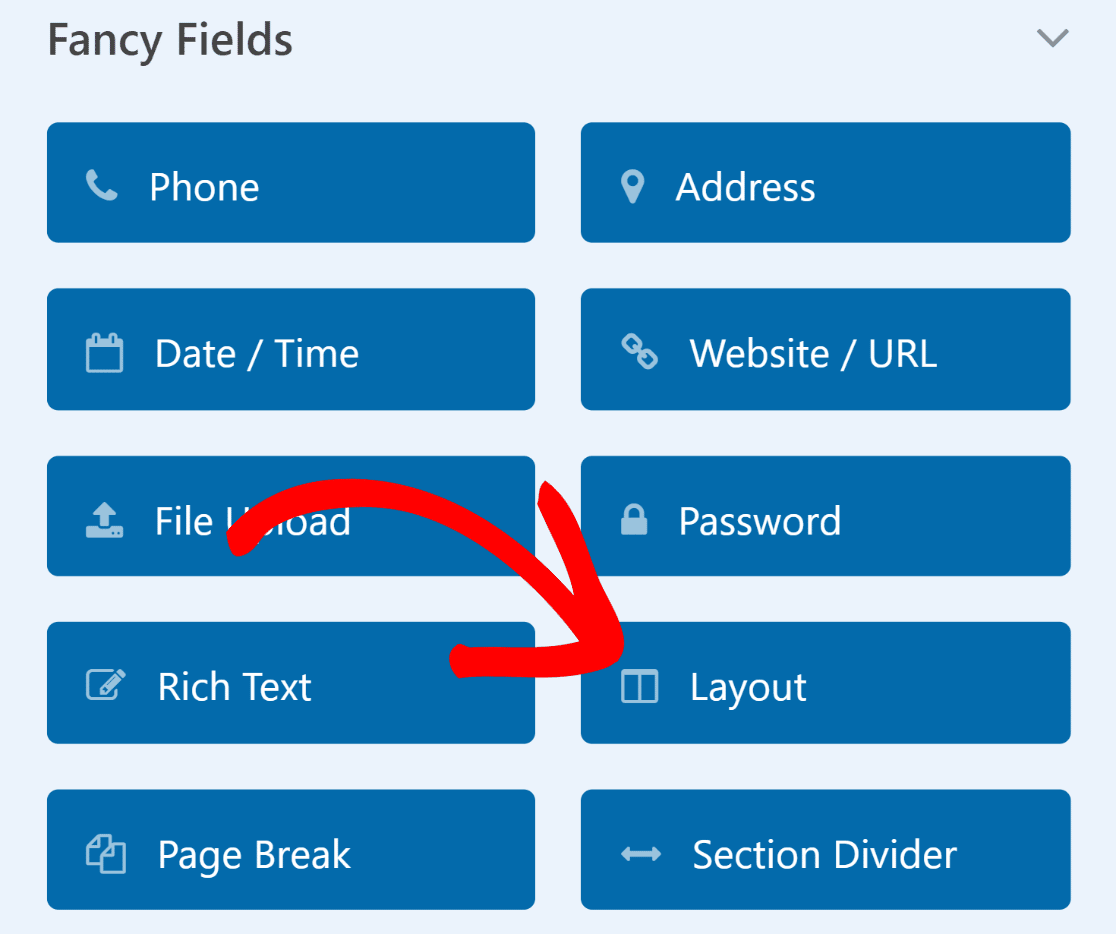
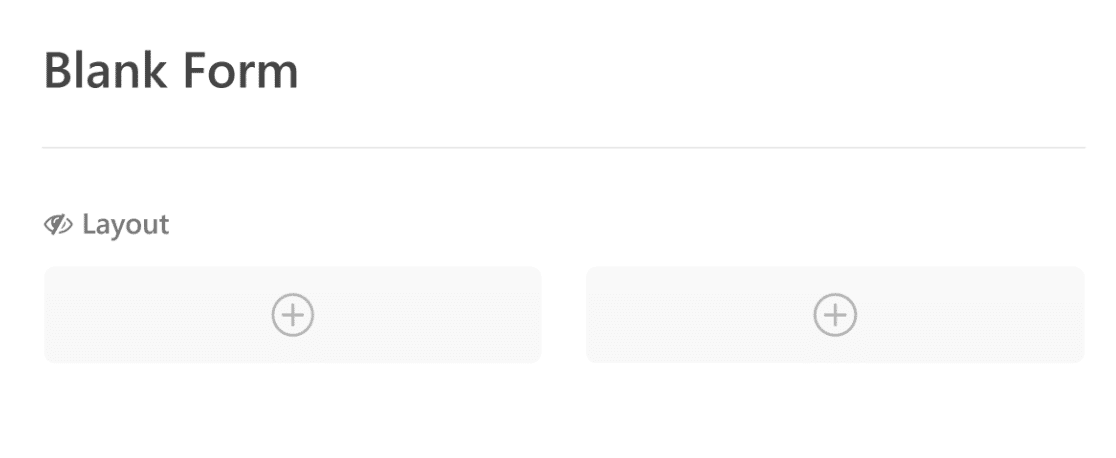
Like any WPForms field, you can drag and drop the Layout field anywhere and create multiple columns. You’ll see containers that allow you to drag other fields inside it.
You can add up to 4 columns in a single click.
To build your form inside your new columns, drag and drop the fields you need into the columns you created.
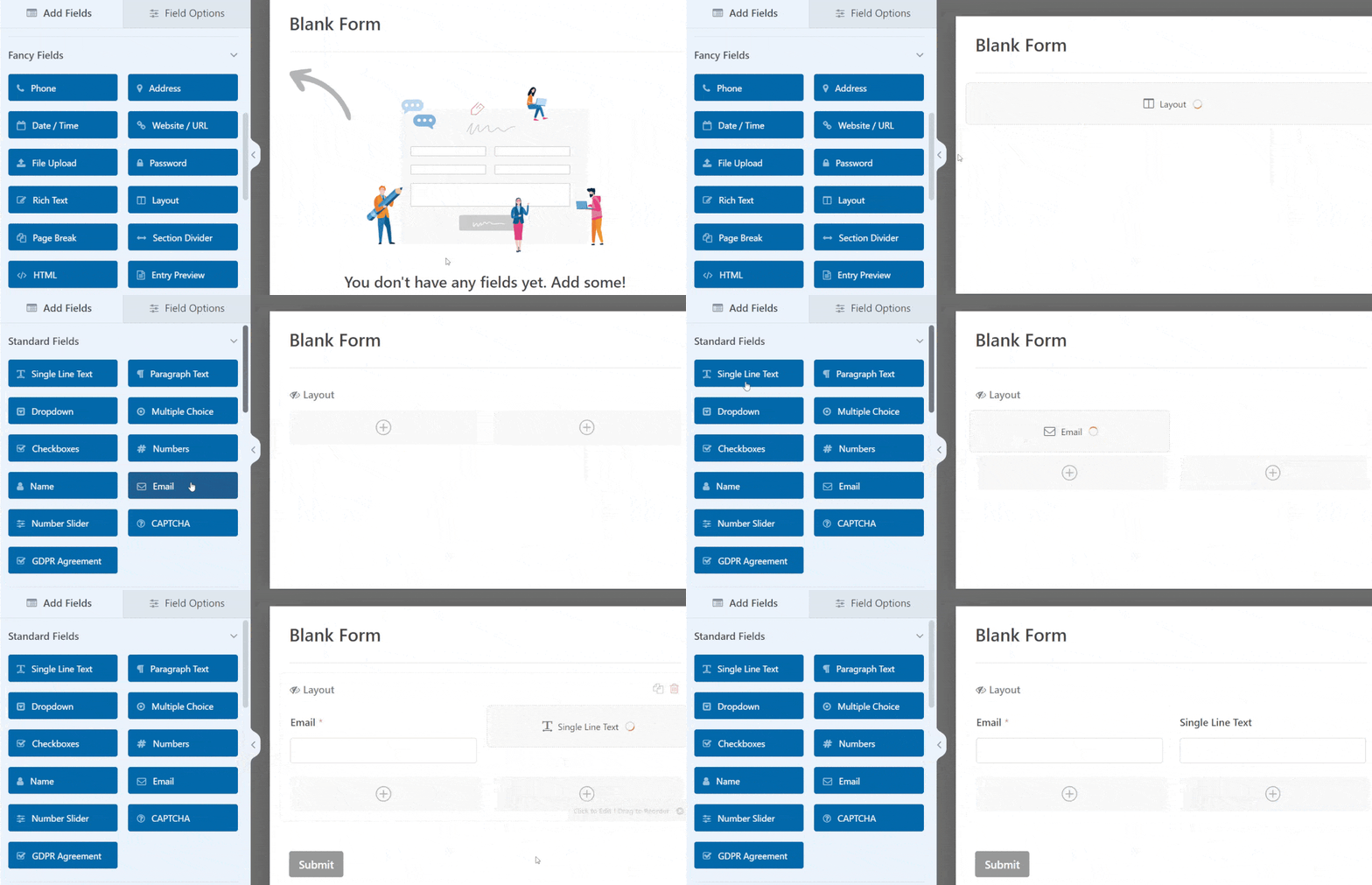
Quick and neat, right?
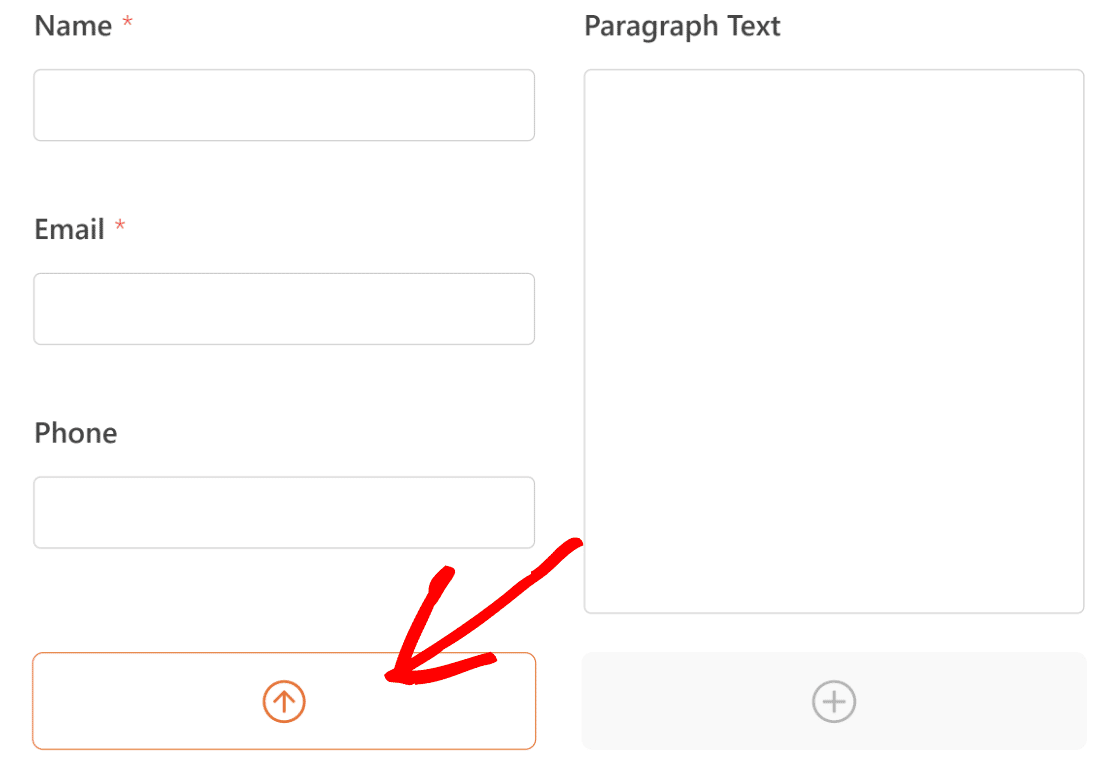
To speed up the process of using columns, we also added a tool that lets you select an active column.
This lets you click on fields to quickly add them to the column you’ve selected, rather than dragging them individually.
The active column is marked by an upward arrow.
Once you’ve built a layout, you can also duplicate the Layout field to create an exact copy of the same group of fields. This is perfect for building order forms or any other form where you want to repeat the same fields several times.
See our doc on using the Layout field for a detailed guide.
But there’s more! We have another feature that will make form creation faster.
Layout Presets
To make advanced form design as easy as possible, we’ve included 8 different types of layouts that you can choose from.
Just select your preset and the layout will be created for you.
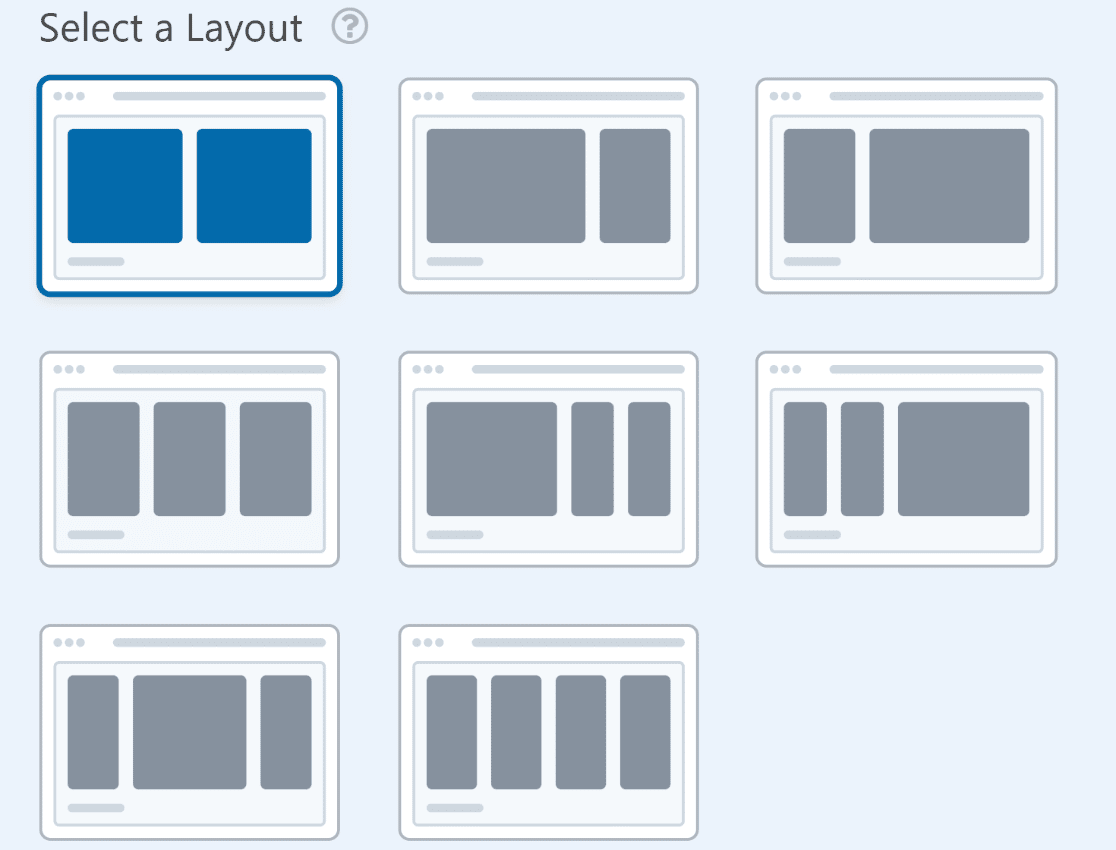
As always, the WPForms form builder will display a live preview of your selected layout so you can instantly see if your fields are perfectly fitting into the layout.
There will be cases where having two equal-sized columns would work perfectly from a design standpoint.
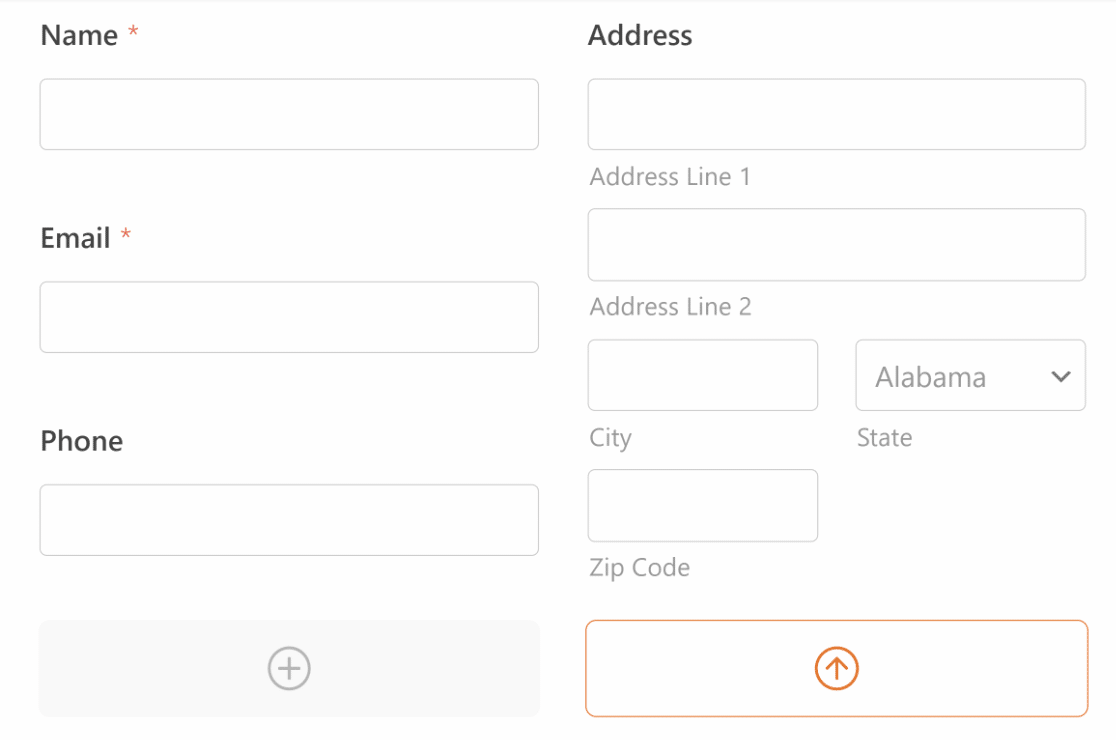
And there are going to be cases where having one column wider than the other might lead to a better user experience.
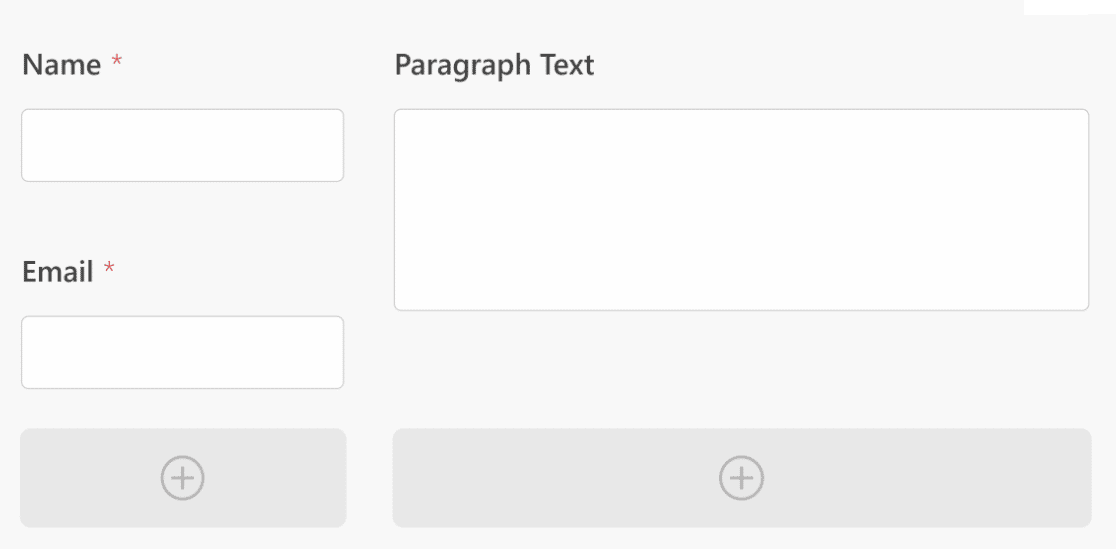
Layout presets make it easy to create forms for any scenario without the hassle of building different layouts.
We’ve also made sure that your forms will always remain responsive no matter the size of the screen they’re viewed on. For smaller mobile devices, your multi-column form fields will automatically collapse into a single column to maintain the best user experience for all of your visitors.
Many of our customers have been enjoying higher form completion rates by using our earlier features like Save and Resume and multi-page forms. We’re confident that the new form layout controls will add another tool to your arsenal for improving user experience and boosting form conversions.
Our Next Release Is Just Around the Corner…
As ever, when we release a new feature, we’re always busy working on the next one. We’re excited to reveal even more features very soon.
Until then, we really hope that you’ll try out the Layouts field to level up your form design game!
Don’t forget to share your thoughts on WPForms 1.7.7 with us. We think you’ll love it!
– Jared
The post Introducing WPForms 1.7.7 – The NEW Layout Field Is Here appeared first on WPForms.source https://wpforms.com/introducing-wpforms-1-7-7-the-new-layout-field-is-here/